Correct checkouts99.9%Per checkout, not per item 1
Set up by youUnder 10 minMashgin: set up on site by its team (per Mashgin) 2
Monthly price, with hardwareFrom $268Mashgin: from $1,000 3, 4
Footprint23.6" × 19.3"Less than half the footprint of Mashgin’s Kiosk with Side UX (48.5" × 24.4") 5
The short answer
Should I buy VisioLabor Mashgin?
Feeding a crowd in a rush? VisioLab. One box, no installer, payment processing built in.
VisioLab is the Mashgin alternative with the power of an Apple M-series chip: 99.9% correct checkouts, 1 packaged items and drinks at stadium speed, plus fresh, plated food as standard. All in one 23 lb box your own staff sets up in under 10 minutes.
VisioLab and Mashgin, side by side.Receipts included.
Every Mashgin price, size and spec comes from Mashgin’s own website, verified November 3, 2026. Calculations are ours. Sources are listed at the bottom.
VisioLab and Mashgin compared on what they are built for, accuracy, recognition, setup, new items and fresh food, footprint, weight and power, payments, age-restricted items and pricing
One box, set up by your own staff in under 10 minutes
MashginProprietary hardware, set up on site by Mashgin’s team
Built for
High-volume food service at peak.Stadiums, arenas, campus and corporate dining. Packaged items and drinks, plus open, plated dishes that change daily.
One system for retail, convenience and food service, including EBT and fuel 6
Accuracy
99.9% of checkouts.Counted per checkout, not per item. 1
99.9% per item, for items “placed properly” on its tray and with “accurate training poses” 7
Recognition
One camera, right on the iPad.VisioLab stations ship with an Apple M-series chip. Recognition runs on-device, typically in a fraction of a second.
8 cameras on Mashgin’s own proprietary hardware 2, 8
Setup
No installer needed.Your own staff sets it up in under 10 minutes. 43 stations went live venue-wide in under 72 hours. 9
Set up on site by Mashgin’s deployment team, with a project timeline run by its Launch Team. Most customers go live within days of their site being ready. 2
New items and fresh food
Fresh food as standard.Packaged items and open, plated dishes that change daily, alike. A new dish takes a few photos and seconds of staff time; training runs in the background. No clamshells needed.
Each new item takes about 60 seconds to add 7
Footprint
Screen and terminal included.23.6" × 19.3".
Kiosk with Side UX: 48.5" × 24.4", per Mashgin’s site-survey guidance. 5
Weight and power
One person, one outlet.23 lb as a complete station. Wi-Fi, cellular or a network cable, and it can also run on a battery pack.
Kiosk: 66 lb, more than the 50 lb Mashgin’s own job ads ask installers to lift. Up to 450 W, two outlets and a CAT6 connection at every Kiosk. The Kiosk doesn’t use Wi-Fi. 5, 7, 10
POS and payments
One provider, one contract.AI checkout, POS and payment processing from VisioLab, with offline card payments within limits you set. Or connect your existing POS, and your own payment processor on Enterprise terms.
Connects to your existing POS. Mashgin customers pay separately through their own processor. 2, 8, 11
Age-restricted items
Three ways to approve, no extra hardware.Staff QR code at the VisioLab station, approval from the operator iPad, or an automatic ID check with the iPad camera.
Attendant ID check 12
Pricing
From $268/month per station, hardware included.Core plan $199 + $69 hardware lease, 12-month term. Payment processing included in the 3.0% + $0.10 transaction fee, excluding American Express. 3All plans
From $1,000/month per device, hardware included. Payment processing billed separately by your own processor. 4, 8
Footprint and setup
VisioLab goes where the crowd is.Counter, corner or concourse.
A complete checkout, not a piece of furniture. A VisioLab station fits on counters and in corners that bigger hardware can’t use.
Mashgin describes its rollout as white-glove deployment, with its team setting up checkouts on site. 2, 13 VisioLab just plugs in: one power outlet and a network connection. No outlet nearby? A VisioLab station also runs on a battery pack and cellular. That’s how 43 VisioLab stations went live venue-wide in under 72 hours. 9
At 23 lb, one person carries a VisioLab station. Mashgin’s Kiosk weighs 66 lb, more than the 50 lb Mashgin’s own job ads ask installers to lift. 2, 10 Move a VisioLab station between stands, or into space that never sold anything.
AI-generated video
Footprint, to scaleOne square = 6 in · Source: Mashgin site-survey guidance 5
<½the footprint of Mashgin’s Kiosk with Side UX. Screen and payment terminal built in.
Unbox to ready, per VisioLab station<10 min
Power and networkThat’s itHardware installerNoneInstall windowNone
Weight, per VisioLab station23 lbOne person carries it to the next stand.
How VisioLab works
Guests don’t count cameras.They count seconds.
VisioLab recognizes the items on your menu with one camera, typically in a fraction of a second, right on the iPad, with no network round trip. VisioLab stations ship with an Apple M-series chip. VisioLab gets 99.9% of checkouts right, 1 on venue menus of hundreds of items 14 and checkouts of up to 28 items, with no slowdown.
Set everything down at once: cans, bottles and packaged snacks. VisioLab recognizes each item right on the iPad, typically in a fraction of a second, with no barcodes and no scanning.
Open, plated dishes that change every day are everyday business for VisioLab in campus and corporate dining. No packaging or label needed: VisioLab recognizes a plated dish as easily as a can. A new dish takes a few photos and seconds of staff time; training runs in the background.
On Growth, VisioLab applies combos and time-of-day discounts on its own. On Enterprise, VisioLab shows add-on offers while guests check out.
VisioLab brings recognition, POS, payments and promotions into one system, with sales and menus managed in VisioHub. No separate register next to it.
Recognition runs on the iPad, and card payments keep working offline with VisioLab’s built-in payments, within limits you set. When the venue Wi-Fi buckles at halftime, sales don’t stop.
VisioLab by the numbers
99.9%correct checkouts 1
11smedian checkout 15
~1Mtransactions a month 16
28items in one checkout 17
0barcodes to scan
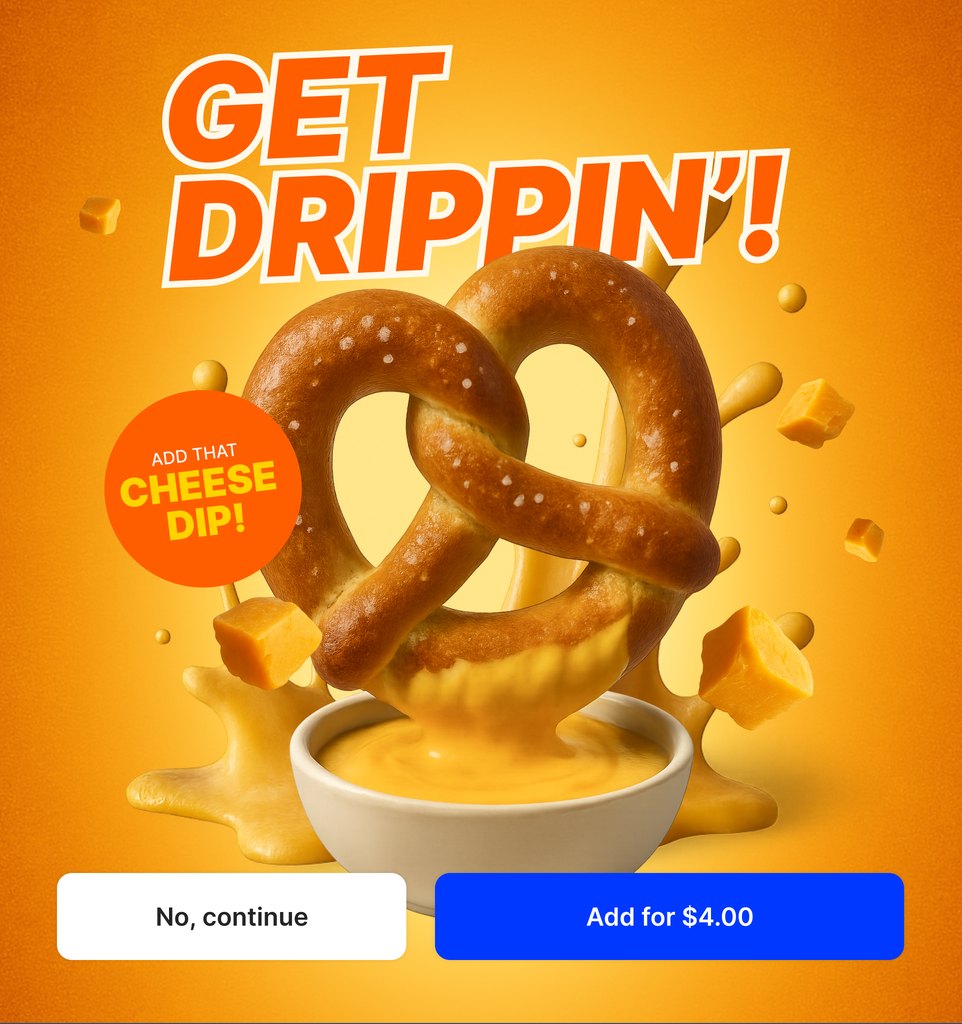
Pretzel$9.00x1
Soda$3.00x1
Subtotal$12.00
+ Tax+ $1.00
Total$13.00
Incl. tax, prices may vary, discounts may be applicable
Add-on offersOn screen, on Enterprise
CombosApplied on their own, on Growth
DiscountsBy time of day, on Growth
One system per VisioLab stationOne box. The whole stand.
RecognitionRight on the iPadBuilt in
POSMenus, prices, tax, receiptsBuilt in
Card paymentsTap, chip, Apple Pay, Google PayBuilt in or yours
PromotionsCombos and discounts on Growth, add-on offers on EnterpriseBuilt in
Sales and menusLive in VisioHub, for every VisioLab stationVisioHub
No separate register next to it.
When the network goes downVisioLab keeps selling.
RecognitionRuns on the iPad, no network neededWorks offline
Card paymentsBuilt-in payments, within limits you setWorks offline
ConnectionWi-Fi, cellular or a network cableYour pick
With third-party payment providers, offline payments depend on the provider.
Campus and corporate diningRecognized as easily as a can.
Dish of the dayChanges daily, no packagingRecognized
Salad bowlOpen, no lid, no labelRecognized
New dishA few photos, seconds of staff timeSeconds
Training runs in the background.
Customer testimonials
Real results.Hear it from the venues.
VisioLab has been faster in every measured comparison: against staffed registers and against the previous self-checkout. 9, 18
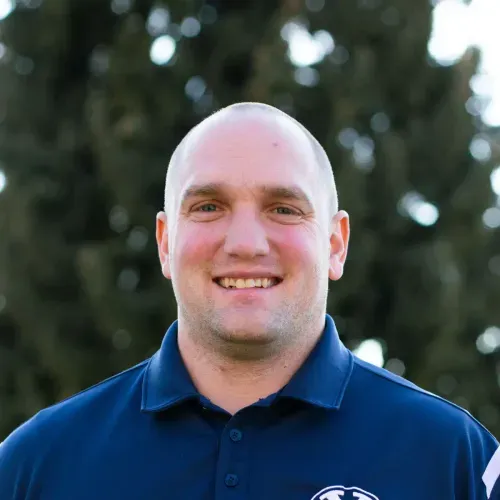
Brigham Young UniversityVisioLab live at LaVell Edwards Stadium.
“Reducing friction at checkout with VisioLab helps us serve more fans at concessions, translating to measurable gains in transactions and revenue.”
Jay Riola Chief Strategy & Innovation Officer, Orlando Magic
“VisioLab locations immediately saw a 50-60% increase in sales.”
Andy Jacobsen Concessions General Manager, BYU
In an NBA arena 9
4sFaster per checkout than the previous self-checkout
+17%Revenue and spend per fan, vs. the previous self-checkout and standard POS
VisioLab vs. Mashgin, answered.For ops, IT and procurement.
What’s a good Mashgin alternative for stadiums and arenas?
VisioLab is AI self-checkout built for the rush: AI recognition, POS and card payments in one VisioLab station, running on one iPad, with payment processing built in. VisioLab gets 99.9% of checkouts right, 1 sets up in under 10 minutes and takes less than half the footprint of Mashgin’s Kiosk with Side UX. 5
How accurate is VisioLab compared to Mashgin?
VisioLab gets 99.9% of checkouts right: 999 in 1,000, counted per checkout, not per item. 1 Mashgin quotes 99.9% per item, for items placed properly on its tray. 7 By Mashgin’s own math, about 1 in 334 checkouts with three items is charged wrong or needs a staff member to step in. 8
Is VisioLab only for small menus or simple stands?
No. VisioLab is built for venues where a lot sells in very little time: stadium stands at halftime, arenas during every break, campus dining at noon. Venue menus run to hundreds of items, 14 plated dishes that change daily are standard in campus and corporate dining, checkouts of up to 28 items run with no slowdown, 17 and VisioLab handles around 1 million transactions a month. 16
Mashgin uses eight cameras. Why does VisioLab use one?
Because camera count doesn’t decide accuracy; processing and the recognition model do. VisioLab recognizes the items on your menu, typically in a fraction of a second, right on the iPad. VisioLab stations ship with an Apple M-series chip. VisioLab gets 99.9% of checkouts right. 1
Can VisioLab check out a full order with many items?
Yes. Guests set their whole order down at once. VisioLab recognizes each item and shows every item and its price on screen before payment. Checkouts of up to 28 items run with no slowdown, because recognition runs on the iPad itself. 17
Can VisioLab recognize fresh, plated food that changes every day?
Yes, as standard. In campus and corporate dining, VisioLab recognizes open, plated dishes that change every day. A new dish takes a few photos and seconds of staff time, and training runs in the background. No clamshells needed.
How fast is a VisioLab checkout?
In an NBA arena, VisioLab checked out 4 seconds faster than the previous self-checkout and 72% faster than a traditional POS, 9 and at a college football stadium the median VisioLab transaction took 11 seconds. 15 VisioLab typically recognizes each item in a fraction of a second, with no barcodes and no scanning.
Is VisioLab built for high-volume venues?
Yes. VisioLab runs in stadiums, arenas, campus dining and corporate cafeterias. College football stadiums using VisioLab cut gameday wait times by 80% compared with traditional stadium POS in the 2025 season, 18 and VisioLab handles around 1 million transactions a month across all venues. 16
How heavy is VisioLab, and how many people does setup take?
One person. A complete VisioLab station weighs 23 lb, and one person carries it to the next stand and sets it up in under 10 minutes. Mashgin’s Kiosk weighs 66 lb, more than the 50 lb Mashgin’s own job ads ask installers to lift. 2, 10
Can I start with a single VisioLab station?
Yes. Order a VisioLab station online, set it up in under 10 minutes and add more once it proves itself, or book a free side-by-side comparison first.
How do I switch from Mashgin to VisioLab?
Book a free side-by-side comparison. Run a VisioLab station next to your current checkout on your next games, compare the numbers, then roll out. Each VisioLab station sets up in under 10 minutes, with no installer on site.
Can VisioLab sell alcohol and age-restricted items?
Yes. Items in the alcohol category trigger an age check at payment. A staff member checks the guest’s ID and approves the checkout with a staff QR code at the VisioLab station or from the operator iPad. Or VisioLab checks the ID automatically with the iPad camera, with no extra hardware.
What does VisioLab need on site?
One power outlet and a network connection: Wi-Fi, cellular or a network cable all work. No outlet nearby? A VisioLab station can also run on a battery pack. There is no server or back-office hardware to install.
Does VisioLab work with our POS and payment provider?
Yes. VisioLab comes with POS and payments built in, or connects to the systems you already run, with your own payment provider on Enterprise terms. Live venues run VisioLab with payment providers such as Shift4, FreedomPay and Adyen, with POS systems such as SkyTab Venue and Clover Sport, and with a venue’s own wallet app.
Does VisioLab keep working if the network goes down?
Yes. Item recognition runs on the iPad itself, and card payments keep working offline with VisioLab’s built-in payments, within limits you set. With third-party payment providers, offline payments depend on the provider. Each VisioLab station can run on Wi-Fi, cellular or a network cable, whichever is strongest at that stand.
How does troubleshooting work during an event?
Staff close the VisioLab app and open it again, and the station is back within seconds. No device reboot, no technician.
What does the VisioLab camera capture?
The camera looks straight down at the counter through a prism and captures only the base plate area, not faces or people. The VisioLab camera doesn’t recognize people or capture biometric data. Images of items are used to improve recognition, as set out in your agreement with us.
Are VisioLab payments PCI DSS-compliant?
Yes. Card payments run through the PCI DSS-compliant terminal in the kit.
What support does VisioLab provide?
Email support during business hours on every plan. Growth adds 24/7 phone support for urgent and gameday issues, and Enterprise adds a dedicated account manager.
Is VisioLab cheaper than Mashgin?
VisioLab’s monthly base fee starts at $268 per station, with the hardware on a 12-month lease ($199 Core plan plus $69). Mashgin starts at $1,000 per device per month, hardware included. 4 Your total cost also depends on your card volume and your processor’s rates: VisioLab’s 3.0% + $0.10 transaction fee includes payment processing, excluding American Express, while Mashgin customers pay their own processor. 11 List prices as of November 3, 2026. All plans: visiolab.io/pricing
Does VisioLab charge per-transaction fees?
Yes: 3.0% + $0.10 on Core and Growth, excluding American Express. It includes payment processing, so there’s no separate processor to pay. With Mashgin, your own processor charges a fee on every card payment. 11
Doesn’t Mashgin’s fixed price get cheaper at high volume?
Per transaction, yes, and so does VisioLab’s: both monthly prices spread over more sales. Card fees grow with volume on both sides. If your processor charges less than 3.0% + $0.10, ask us about Enterprise terms, including keeping your own processor.
Can we keep our current payment processor?
Yes, on Enterprise terms. VisioLab can run with your existing payment provider instead of built-in payments. Talk to sales.
Do we buy or lease the VisioLab hardware?
Either. Buy the hardware kit outright for $2,200 or lease it for $69 per month on a 12-month term. Volume pricing is available for 10 or more VisioLab stations.
Can we cancel a VisioLab plan?
Monthly plans can be canceled anytime if the hardware was bought upfront. Leased hardware runs on a 12-month term, and Enterprise terms are set per contract.
Mashgin details come from Mashgin’s own website, verified November 3, 2026, plus one Mashgin job posting from 2025. We compare published list prices. Card fees are shown separately, because VisioLab’s transaction fee includes payment processing and Mashgin customers pay their own processor. Spotted something outdated? Tell us and we’ll correct it. Mashgin is a trademark of its owner and appears here only to identify the product compared. VisioLab is not affiliated with Mashgin.
VisioLab system data from live checkouts, 2026.
Mashgin FAQ Hub, “Getting Started with Mashgin,” updated Oct 19, 2026. Link
VisioLab pricing and US shop, November 2026. From $268: $199 Core plan plus $69 hardware lease on a 12-month term. PricingShop
Mashgin FAQ Hub, “Mashgin Pricing and ROI,” updated Oct 19, 2026. Link
Mashgin Help Center, “What are the physical specifications of the kiosk?,” updated Jul 21, 2026. Link
Mashgin FAQ Hub, “Best AI Checkout and Computer Vision Checkout Companies (2026),” updated Oct 15, 2026. Link
Mashgin FAQ Hub, “How Mashgin Recognizes Items,” updated Oct 19, 2026. Link
Mashgin FAQ Hub, “Mashgin vs. Other Visual Checkout Systems,” updated Oct 15, 2026. Link
VisioLab case study, “The Orlando Magic Increase Throughput by 25% and Revenue by 17% at Concessions.” Link
Mashgin job posting, “Deployment Engineer,” Built In Boston, 2025, no longer online: “Ability to lift 50 pounds or more.”
Mashgin FAQ Hub, “Mashgin POS Integrations and Payment Options,” updated Sep 28, 2026. Link
Mashgin FAQ Hub, “Self-Checkout for Alcohol, Tobacco, and Age-Restricted Items,” updated Oct 15, 2026. Link
VisioLab menu data from VisioHub, October 2026. Example venue menus: 226 and 289 items.
VisioLab case study, “How BYU Athletics Increased Gameday Revenues by 50-60%,” 2025 football season. Link
VisioLab transaction data across all venues, 2026.
VisioLab on LinkedIn, “Basket size of 28 units,” September 2026. Link
VisioLab case study, “Stadium Self-Checkout: How College Football Venues Cut Wait Times 80%,” 2025 college football season, compared with traditional stadium points of sale. Link
VisioLab on LinkedIn, “Subaru Park is live with VisioLab,” August 2026. Link

 One box, set up by your own staff in under 10 minutes